

1
Set up your business
Sign up at app.aibuku.com. Aibuku asks a few questions: your website (or your details, if you have none), what you offer, and what customers can do. Check each screen and choose Looks good.→ Set up your business
2
Choose a plan
At the end of setup, pick a plan and add your payment details. Eligible plans start with a 7-day trial.→ Plans and trial
3
Wait for Ready to connect
Your Dashboard shows your next step. When the card says Ready to connect, your business can talk to assistants.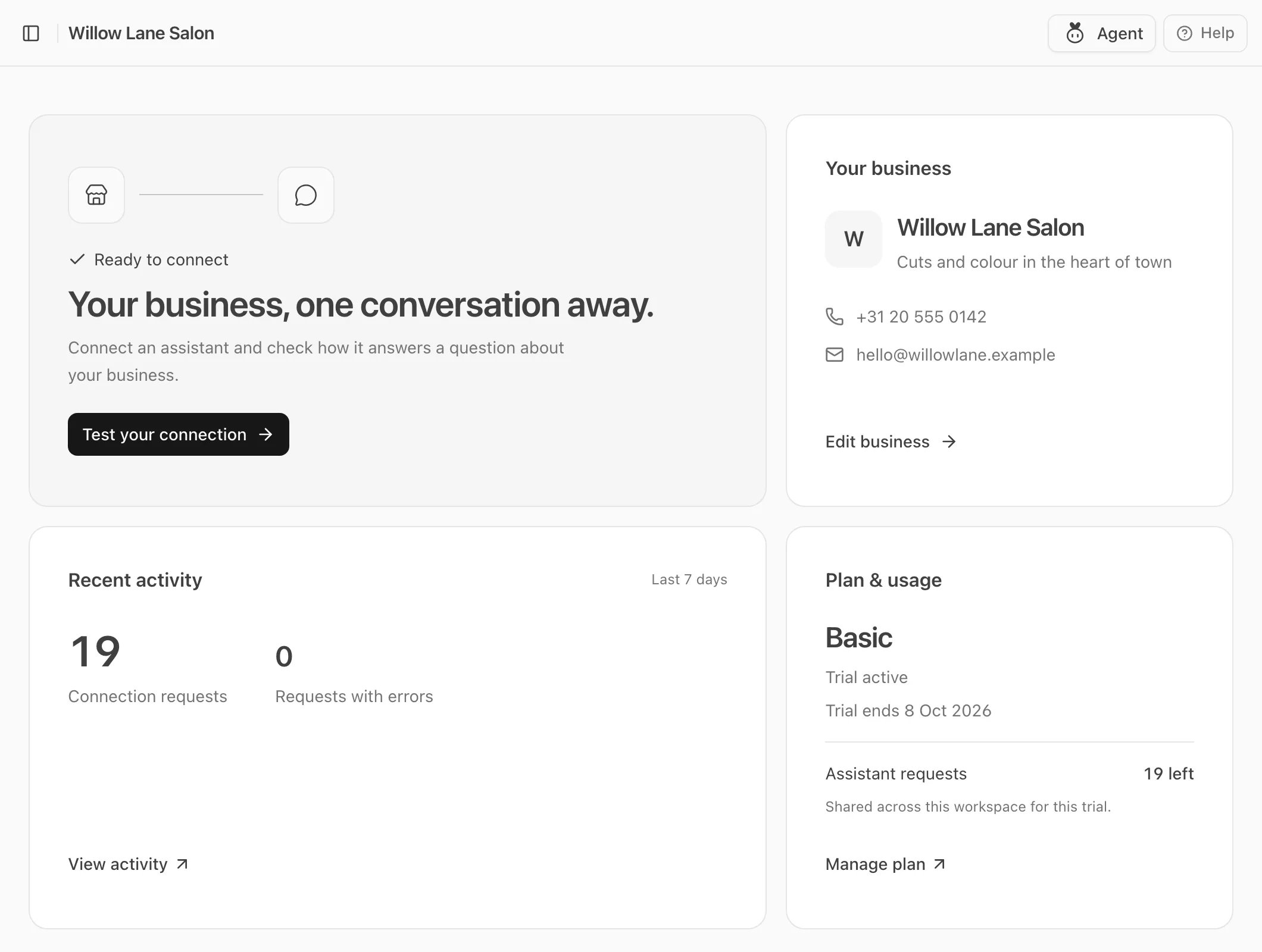
4
Try it yourself
Open Studio → Try it and ask a question the way a customer would. You see what a customer sees.→ Test with Try it
5
Connect a real assistant
On the Dashboard, choose Test your connection, add your business to Claude or ChatGPT, and paste the test question into a new chat.→ Connect an assistant
What next
- Make your business look its best in the chat: Studio.
- Answer the requests customers send: Inbox.
- Get listed where people look for apps: Directories.
- Find out whether AI recommends you, and what to fix: Visibility.