

Website pages is part of Visibility, which every plan includes. It reads the same website check as To do.
The list
The pages are grouped by how they do: Weak, Needs work, Good, and Not checked when nothing could be measured. The worse of a page’s two scores decides its group. Each group says how many pages it holds; choose its name to fold it away or open it again.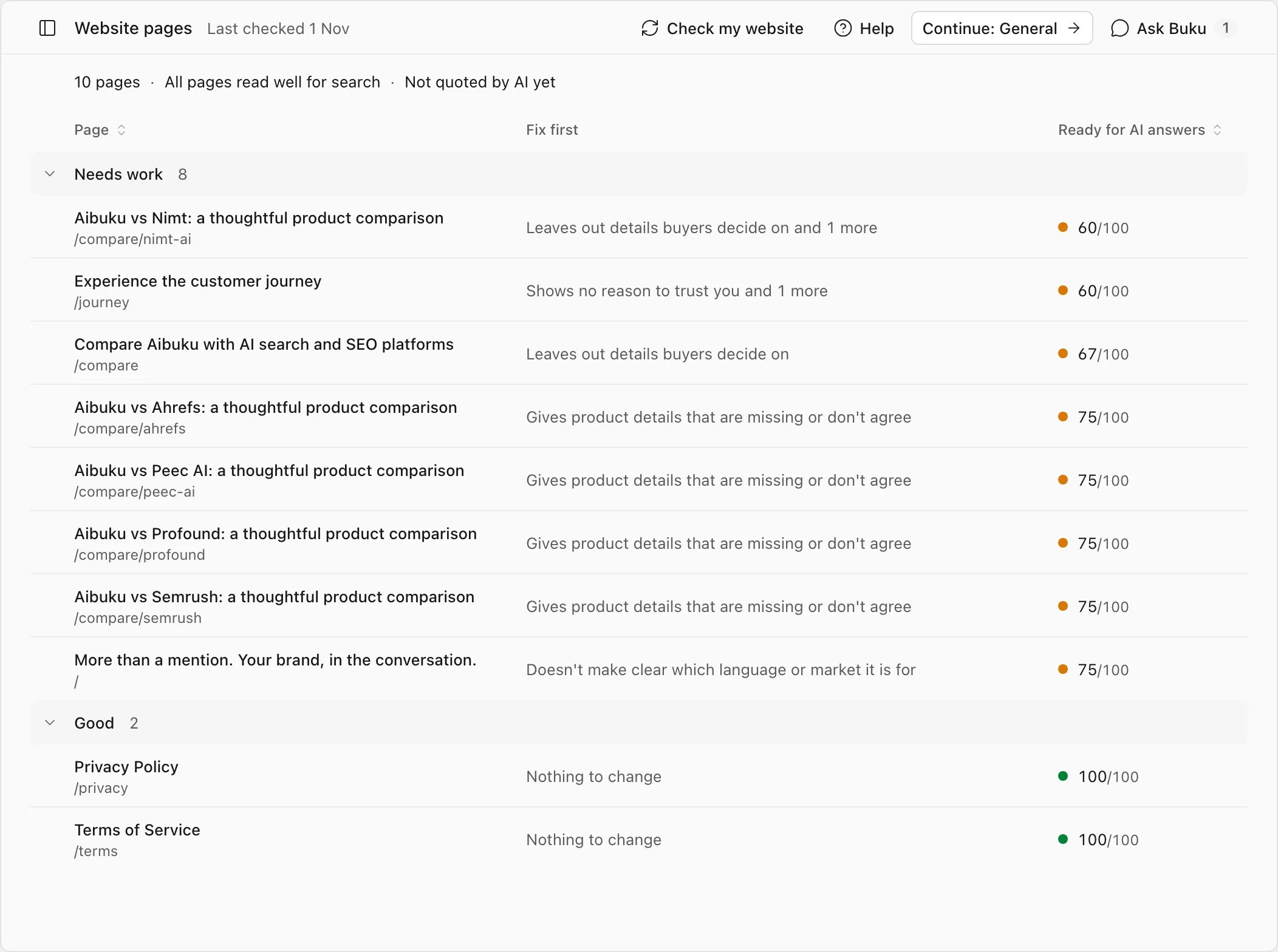
- Ready for search — how ready the page is for search engines.
- Ready for AI answers — how ready the page is for AI assistants to read and quote. This is about the page itself, not whether an AI has quoted it yet.
How a score is worked out
A score is the share of checks the page passed. If 8 checks ran on a page and it passed 6, the score is 75. Every check counts the same, and every check the page failed is listed under What to change, so you can see every point it lost.- Ready for search counts the checks search engines care about, such as the page’s title and search description, its headings, how much it says, its language, its pictures, how it works on a phone, the links on it and to it, and whether another page repeats it.
- Ready for AI answers counts the checks AI assistants care about, such as whether they may read the page, whether it answers what your customers ask, whether it gives the details a buyer needs to decide, whether its claims are backed up, and whether it fits the market you sell in.
Open a page
Choose a page in the list to open its own page. The top of the screen reads Website pages › the page’s title: choose Website pages there to go back to the list. When most of your pages end their title with your business name, such as Pricing | Willow Lane, the page leaves that ending out, here and at the top of the page. The browser’s address names the page, so a link opens the same page. A link to a page the last check did not read says so, with a way back to the list.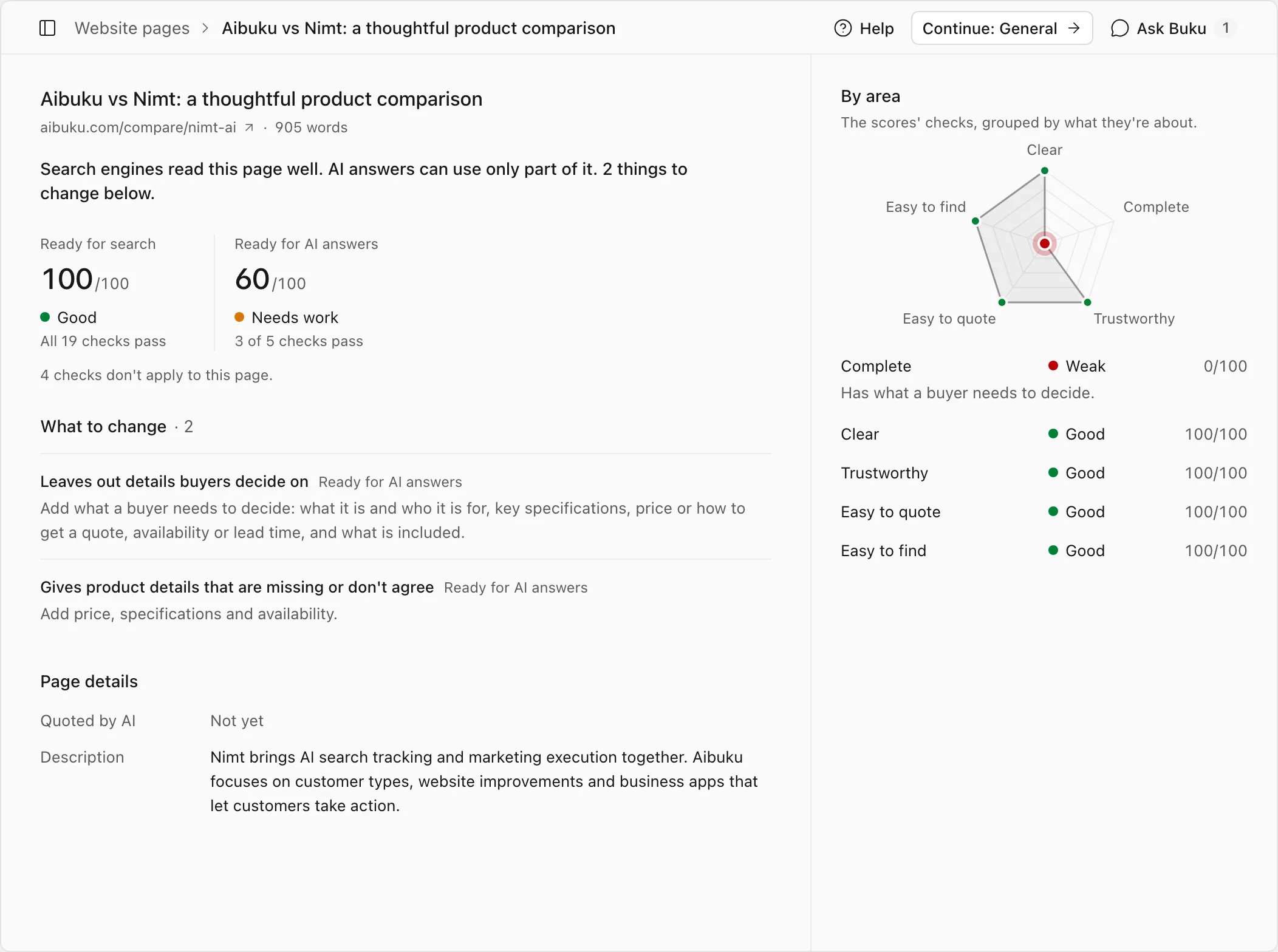
Scores
Ready for search and Ready for AI answers, each as a number out of 100 with a word that says how good it is:- Good — 80 or more.
- Needs work — 50 to 79.
- Weak — under 50.
- Not checked — no check could be measured, so there is no number.
What to change
Every check the page failed, with how many there are, for example What to change · 3. Each one is two lines: what is wrong, in the same words as its card in To do, with the score it lowers (Ready for search or Ready for AI answers) in grey beside it; then what to do. When the check found what the page leaves out, the second line names it, for example Add price or how to get one and what’s included. The problems that lower the weaker of the two scores come first, because fixing them moves the page most. Problems you moved to Not doing in To do sit at the end, folded under Not doing; open it to see them. A page with nothing left to fix says Nothing to change on this page. Each problem has Fix with Buku. It opens Buku with that problem on this page. Buku writes the new text for you to copy onto your website. When the fix is not text, such as a broken link, Buku writes a short note you can send to whoever builds your website. You see Fix with Buku when you can make changes in the project and Buku can fix problems on your plan. Problems in Not doing have no button.By area
The page in five areas, each from 0 to 100. They count the same checks as Ready for search and Ready for AI answers, grouped by what they’re about, and each check counts in one area. So four areas can be at 100 while Ready for AI answers is at 60/100: every check it failed sits in the fifth area. A small chart shows the page’s shape: every page uses the same five areas on the same scale, so you can compare two pages by their shape. Each point has the colour of its area’s status. Under the chart, the same areas are listed weakest first. Each says Good, Needs work or Weak, with its number, such as 0/100. The weakest area is also the larger point on the chart, with a soft ring. Point at an area in the list to see its point.- Clear — the page says early what it is and who it is for: it answers what your customers ask, has clear headings, says enough, and is in the right language.
- Complete — it has what a buyer needs to decide, such as prices or how to get one, product details, where you are, a video, and details for the market you sell in.
- Trustworthy — its claims are backed up, and nothing on it looks like spam.
- Easy to quote — its sentences are short enough for AI to quote them.
- Easy to find — search engines and AI assistants can reach the page and know what it is: its title, search description, links, pictures, phone layout, and whether AI assistants may read it.
Page details
Under what to change, each detail beside its name:- Quoted by AI — how many answers in your tests quoted the page in the last 30 days, for example 3 answers · last 30 days. Not yet means none did. Not measured yet means no test in that time could show it. Only answers your plan still keeps are counted.
- Questions answered — how many of your customers’ questions the page answers. It shows only when the page answers some, and it never changes the score: a page is not meant to answer every question.
- Title — shows only when the page’s title has a problem, such as a title another page also uses.
- Description — the page’s description, as search engines show it, with its problem when it has one.
What you decide in To do counts here
- A problem you move to Not doing in To do stops counting against the page. It stays in What to change, folded under Not doing, and the line under the scores says how many are there, so nothing is hidden.
- A problem you move to Done still counts until the next check confirms it is gone.